How to Play Naval Battle Online: Beginner Guide | Playgridia
How to play Naval Battle online, in one sentence: each turn you fire into one square of the enemy's fog-covered ocean, and the first admiral to uncover all 14 enemy hull cells wins. No setup screen, no ship movement, no dice. This guide walks through the board, the four ships, the abilities and the win condition — follow along in a free browser match.
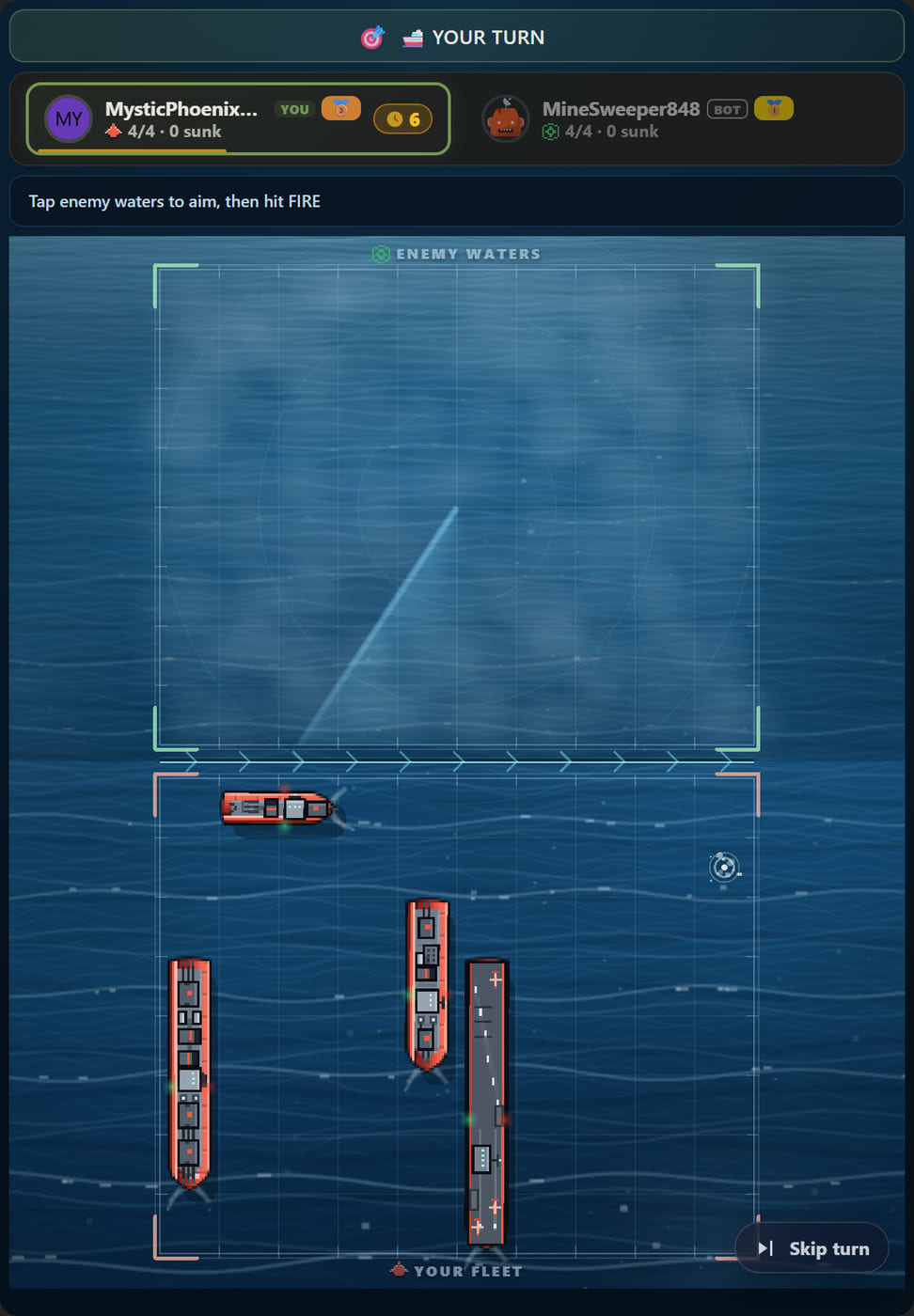
The board: 80 squares of one open sea
Each side owns a separate ocean of 10 columns by 8 rows — 80 squares. The client stacks the two into a single portrait sea: your waters at the bottom, the enemy's flipped on top, an impassable border line between them. You never juggle two boards or two tabs; everything you need is on one screen.
There is exactly one map, Open Sea, and it is deliberately empty — no islands, no shallows, nothing to hide behind. A consequence worth stating: there is no board picker and nothing to unlock here, so Naval Battle is free from end to end.
Your fleet deploys itself
Naval Battle has no deployment phase. The moment a match starts the server scatters both fleets at random across the whole 8-row ocean — front row included — and the battle begins in seconds. You are never asked to drag ships onto a grid, and nobody has a "favourite corner" habit to exploit or to give away.
Four ships, 14 hull cells in total:
| Ship | Cells | Basic shot | Signature ability | Cooldown |
|---|---|---|---|---|
| Carrier | 5 | 1 square | Air Strike — 3×3 (9 squares) | 5 turns |
| Battleship | 4 | 3 squares (broadside) | Heavy Bombardment — 2×2 (4 squares) | 4 turns |
| Cruiser | 3 | 2 squares in a line | Cross Salvo — plus shape, 5 squares | 3 turns |
| Destroyer | 2 | 1 square | Torpedo Run — 2 vertical squares | 3 turns |
Cooldowns are counted in your own turns: spend the Air Strike and it is ready again on your fifth turn afterwards. Across a whole match that is a very small budget, which is what makes every ability a decision rather than a habit.
A turn is one decision: where do I fire?
- Tap enemy waters. The strongest gun you still have afloat is picked for you automatically and the target locks.
- Read the strip. The bar at the bottom names the ship, the shot and the square in sailor call-signs like C7. Cancel, or hit FIRE.
- Tap one of your own hulls and you open only that ship's signature ability — that panel is the only menu in the game.
- The turn always passes — on a hit, on a miss, after a shot or after an ability. One ship acts per turn and there is no lucky hit chain.
Ships never move. Maneuvering existed in an early build and was removed outright: a turn is exactly one decision. There is a Skip turn button if you would rather pass, though you will almost never want it. The green fleet (player 1) always fires first — no coin toss, no alternating start.
Reading the fog
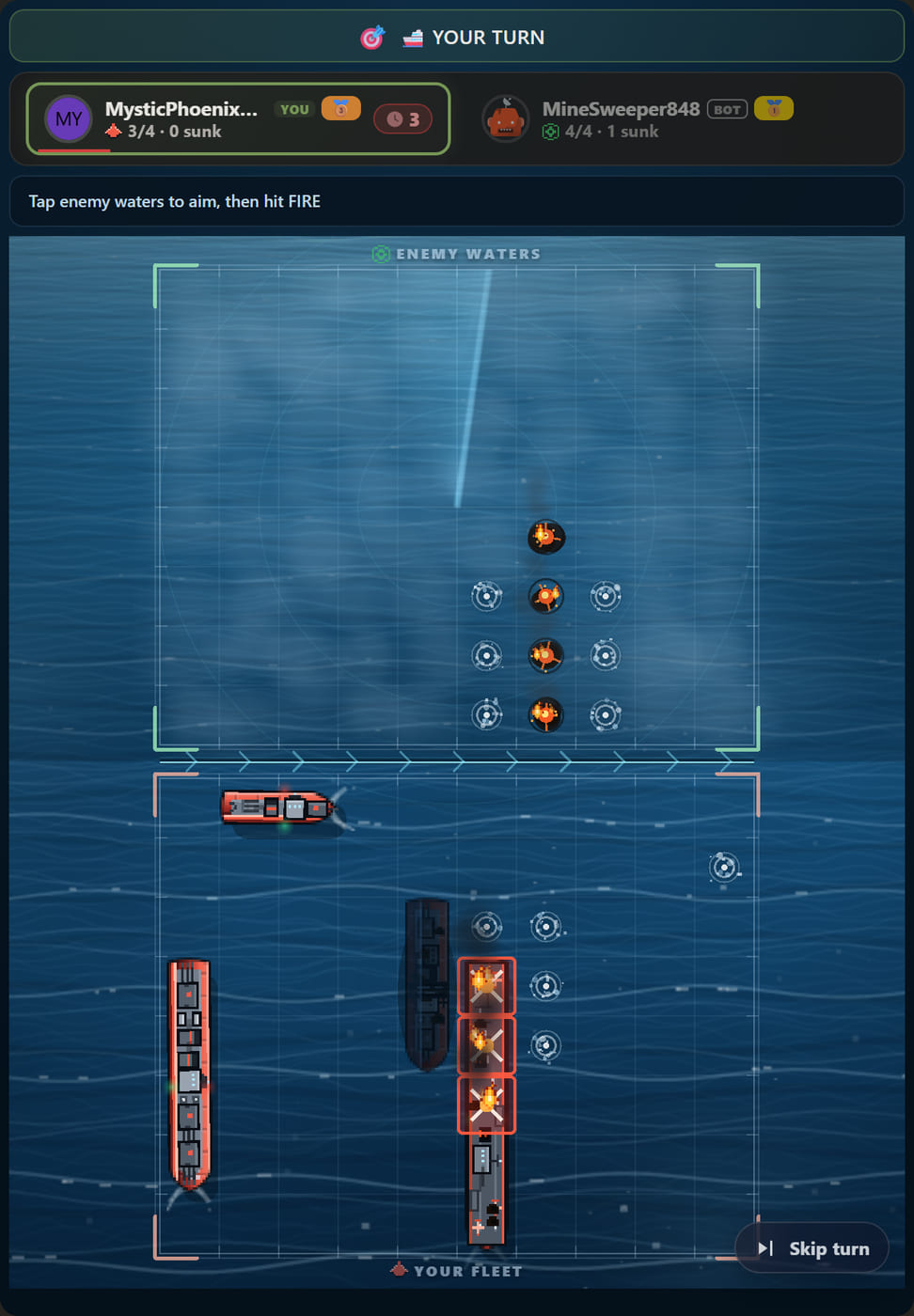
Enemy waters start covered edge to edge, and every square you fire at burns a permanent hole in the fog. A miss leaves a splash ring, a hit leaves a burning ember, and a sunk ship reveals its whole wreck. You never have to remember where you already looked — the board is the record. Before each shot, find the largest unbroken patch of fog and aim there.
Your own half is just as informative: you see exactly which cell of which ship was struck, so you also know what your opponent knows. But note carefully that damage is not a debuff. A carrier with four of its five cells burning fires exactly as well as an untouched one and can still call a full 3×3 air strike. Only sinking a ship removes its weapon from the fight, which is why you should always finish a wounded hull before looking elsewhere.
Winning, and how a match is scored
Sink all four enemy ships. That is the only ending — there is no point limit and no turn limit. The final score is simply how many enemy ships you sank, 0 to 4, so a 4-0 and a 4-1 are not the same victory: that number is what tells the scoreboard and the activity feed how close the fight was. It is live on the player chip at the top of the screen, in the form "4/4 · 1 sunk".
The clock, timeouts and leaving
The move clock is a room setting: 20, 30, 40, 60, 90, 300 or 600 seconds, 30 by default. There is no unlimited option on any game here.
- Running out of time is not a loss. That single turn is played for you by a fog-aware bot, and the turn comes straight back to you.
- A dropped connection keeps your seat. The handover is reversible: come back and the bot stands down, and you resume exactly where it left the board.
- Leaving on purpose is different. In a two-player match a deliberate exit is a forfeit and your opponent wins.
Your first match, and beating the bot
Rooms offer Easy, Medium and Hard bots and the difference is concrete. The Easy bot fires at random: no checkerboard parity and it never uses a signature ability at all. Medium and Hard sweep around a hit, search on a checkerboard pattern and spend abilities on confirmed contact; Hard simply does the same job faster.
One plan is enough for a first match. While your battleship is afloat the broadside always covers three squares, even at the board edge, so aiming at columns 1, 4, 7 and 9 sweeps a whole row end to end in four shots. The moment you land a hit, stop searching and finish that hull. When you want to go deeper, our Naval Battle strategy guide covers how to raise the number of squares you open per turn.
Rooms have spectator mode and rematch switched on, and there is no undo. So a friend can watch your match live, and a finished match restarts with one tap. Ready? Play Naval Battle free, or read how to set up an online match with a friend.
Any third-party brand or game names mentioned are trademarks of their respective owners. Playgridia is an independent platform and is not affiliated with or endorsed by them.
Frequently Asked Questions
Can I place my own ships in Naval Battle?
No. There is no deployment screen: when the match starts the server scatters both fleets at random across the whole 8-row ocean, front row included. That is why the battle begins seconds after you hit Play, and why nobody has a memorable placement habit to exploit.
Can ships move?
No, ships are fixed. A turn is exactly one decision: where do I fire. Tapping one of your own hulls opens only that ship's signature ability, never a movement menu, and a ship that has been hit cannot be pulled out of the way.
How big is the board and how much of it is my fleet?
Each player's ocean is 10 columns by 8 rows, so 80 squares. Your fleet occupies 14 of them: a 5-cell carrier, a 4-cell battleship, a 3-cell cruiser and a 2-cell destroyer. A blind shot into open water therefore misses about five times out of six.
Do I lose if my move clock runs out?
No. That single turn is played for you by a fog-aware bot and the turn comes straight back to you. A dropped connection also keeps your seat, and the bot stands down when you return. Only deliberately leaving a two-player match counts as a forfeit.
How is a Naval Battle match scored?
Your score is the number of enemy ships you sank, from 0 to 4. You still need all four to end the match, but how many the loser managed to sink is what tells the scoreboard and the activity feed how close the fight was.