5 Letter Word Finder: Filter by Letters You Know
 Play Word Duel
A 5 letter word finder filters a word list by what you already know: the letters you have placed, the letters the word must contain and the letters it cannot contain. Fill in the boxes below and every five-letter word that still fits stays on screen, so a pile of green, yellow and grey clues becomes a short list you can actually guess from.
One puzzle a day: Word of the Day gives everyone the same five-letter word. You get six tries, and a new word arrives tomorrow.
How the three boxes work
The finder has five single-letter boxes, one "must contain" field and one "must not contain" field. Nothing is filtered until you type something, and the list loads the first time you touch a box.
- Letters you know, in place. One box per position. Type a letter into box 2 and only words with that letter second remain. Leave a box empty when you know nothing about that spot.
- Must contain. Letters that are in the word, in any position. This is where the yellow letters go. Order does not matter.
- Must not contain. The grey letters. A letter you also typed as known or as "must contain" is ignored here, so a stray letter cannot empty your list by accident.
Under the boxes you see a count of matches and the words themselves, capitalised. If more than 200 words fit, the tool shows the first 200 and asks you to narrow it down. If nothing fits, it says so: re-check the grey list first, because one wrongly excluded letter is the usual cause.
Interactive tool: type the letters you know, the letters the word must contain and the ones it cannot, and the five-letter words from the game’s own list that fit appear. It needs JavaScript.
What the clues become: a quick table
Here is how each thing you learn from a guess maps onto the finder. The patterns use letters only, with an underscore for an empty box.
| What you know | What to type | Example pattern |
|---|---|---|
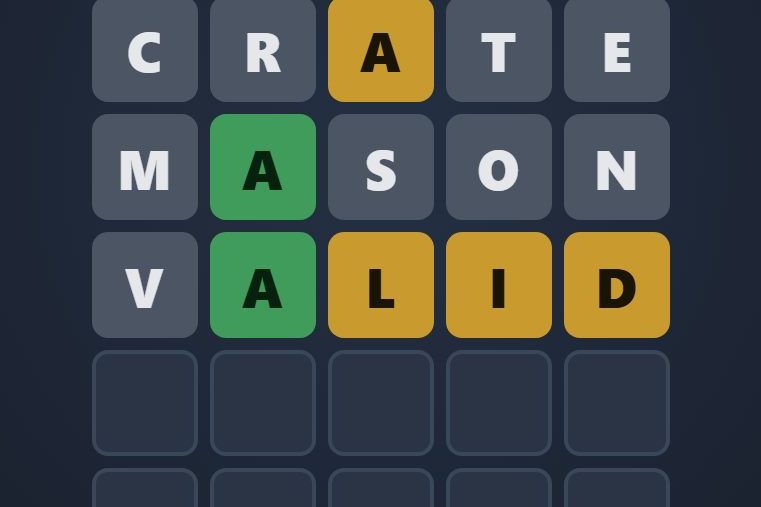
| A letter is green (right letter, right place) | That letter in the box for its position | _A___ (A is green in spot 2) |
| A letter is yellow (in the word, wrong place) | Add it to "must contain" | Must contain: L |
| A letter is grey (not in the word) | Add it to "must not contain" | Must not contain: C, R, T |
| A letter appears twice and you know both spots | Type it in both boxes | __E_E (E in spots 3 and 5) |
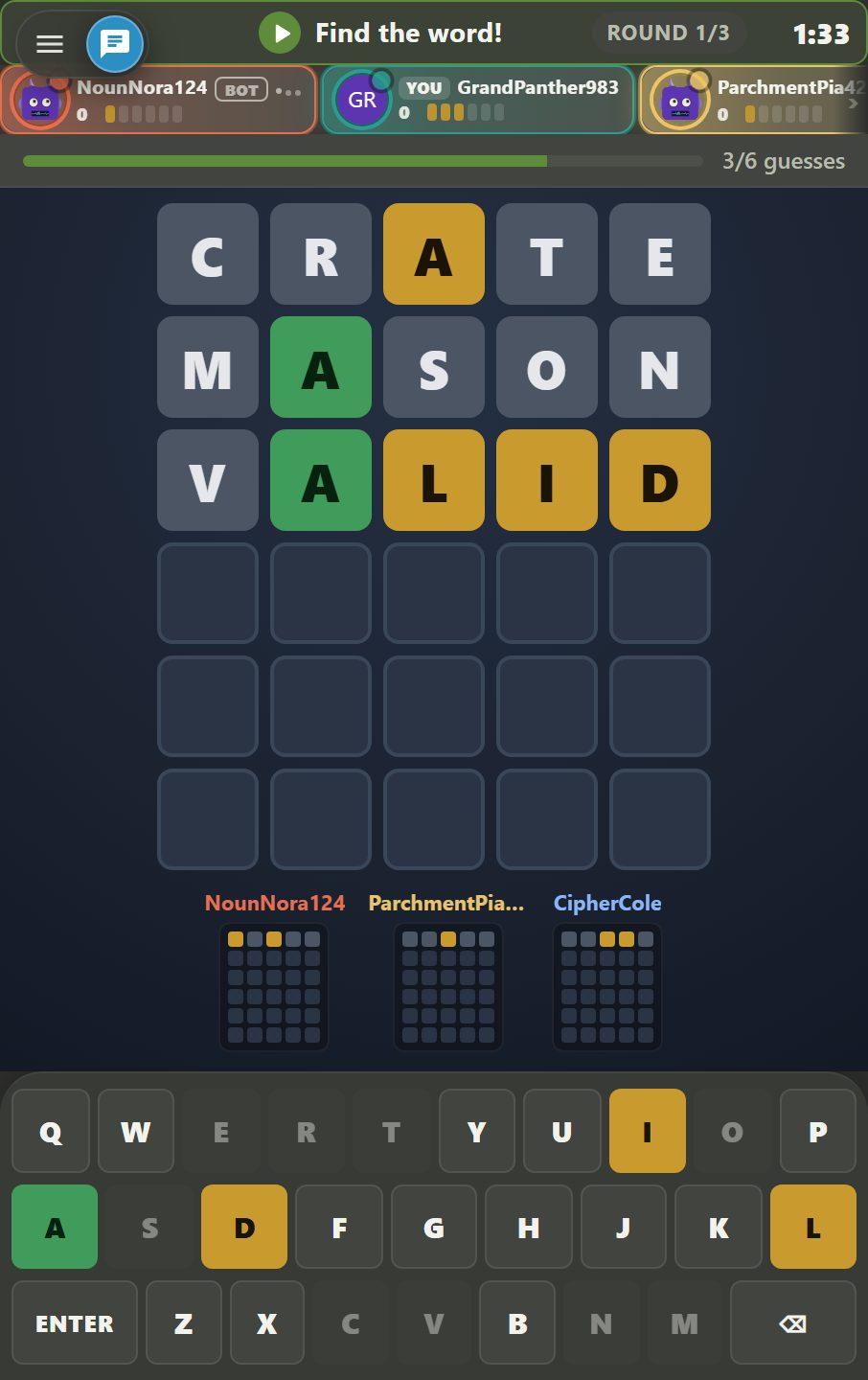
| All three at once | Fill the boxes and both fields | _A___ + must contain L, D + must not contain C, R, T |
The finder has no "not in this position" box. A yellow letter only tells it that the letter is somewhere, so scan the results yourself for words that do not put it back in the spot you already tried.
Where the words come from
The finder reads the game’s own five-letter list, not an open-ended dictionary. That list holds every word the game accepts as a guess: a core set of common answer words plus extra word forms such as plurals and conjugations. In English it comes to 5,179 words, of which 1,155 are answers and 4,024 are guess-only forms. Two things follow. Every word the finder shows is one the game will accept, and a guess that is not in the list is simply refused without costing you a row. But the hidden word is only ever drawn from the answer set, so an odd-looking form in your results can be a fine probe and never the solution.
The game ships five-letter lists for English, Turkish, French, Spanish, Russian, Korean and German. The finder loads the one that matches the page language and falls back to English when there is none. In Korean a letter is a basic jamo, not a syllable, so five "letters" means five jamo.
Using it while you solve, without spoiling it
The game is five letters, six tries and green, yellow and grey clues, and it has no hard mode: any guess in the list is allowed, whether or not it uses your earlier clues. That makes the finder a legitimate thinking aid, but it only helps if you keep some of the puzzle for yourself.
- Make your own first guess. With nothing typed the finder has nothing to filter, so use it after the first or second clue row.
- Copy the board, not the answer. Type greens, yellows and greys exactly as they appear, then choose the word yourself.
- Narrow, do not finish. If you want to keep the puzzle, stop at the match count and pick a probing word with a letter you have not tried yet.
- Playing with friends? Agree on a house rule before the round. Whether to use a finder at a shared table is a decision for the people at it.
The same list, unfiltered, is browsable in 5 letter words.
Habits that make the finder work harder
Cover your vowels early
Grey letters are as useful as green ones. An opener with several different letters, vowels included, tests more of the alphabet per guess and gives the finder more to work with. Our guide to starting words explains how to pick an opener.
Handle double letters carefully
A double letter is the classic trap. The game settles marks in two passes: exact hits first, then one-for-one from left to right for the rest. If you guess a word with two copies of a letter and the hidden word has only one, the extra copy shows grey with a small amber corner dot, and the first time it happens in a match a toast says the word has only one of that letter. So never put a letter that scored one yellow and one grey into "must not contain": it is in the word once. Keep it in "must contain" and look for results that place it elsewhere.
Add one more constraint before you guess
When a handful of words remain and they differ by a single letter, the finder cannot choose for you; you need a guess that splits them. That is the pattern behind the hardest five-letter words. If the rules themselves are new, start with how to play the five-letter word game.
So what do you do with this
Press the Play button above for a quick match against bots, guess twice on your own, then open the finder and type what the board shows: greens in their boxes, yellows under "must contain", greys under "must not contain". Read the list, pick a word with a letter you have not tried, and compare the count after your next row. After a few rounds you will start narrowing the list in your head before you type a single letter, which is the whole point.
Frequently Asked Questions
How do I find 5 letter words using these letters?
Type the letters you know in their positions, put letters that are somewhere in the word under "must contain", and put letters ruled out under "must not contain". The list of matching five-letter words updates as you type. Leave a box empty if you do not know that position.
Where does the word list come from?
It is the game’s own five-letter list for the page language, which holds every word the game accepts as a guess. In English that is 5,179 words. If a language has no list, the finder uses the English one.
Can I use a word finder in a six-try five-letter game?
The game has no hard mode, so any word in its list is a legal guess, and a word outside the list is refused without using a row. Using a finder is a choice between you and the people you play with, so agree on it first in a friendly match.
Why does the finder show words the game never picks as the answer?
The game accepts more words as guesses than it ever hides. The hidden word is drawn only from the shorter answer set, while plurals and conjugated forms are guess-only. They are still useful as probing guesses.
How do I search for a word with a double letter?
If you know both positions, type the letter in both boxes. If you only know the word contains it, put it in "must contain", which does not count copies, and check the results for words with two.
Why does a grey letter sometimes turn out to be in the word?
When you guess a word with two copies of a letter and the hidden word has one, the extra copy is marked grey, with a small amber dot on the tile. A grey double does not mean the letter is absent. Keep it in "must contain" if another copy was yellow or green.