Catan Online With Friends? Free Room, Share the Link
Anyone who wants to play Catan online with friends can set up a game of the same genre in the browser right now: in Claimridge you open a room, send the link with the Share button, and your friends sit down as guests with no account. Claimridge is a separate, independent game, not Catan; it has its own rules, names and artwork and only shares the genre: you roll dice on a hex island, collect resources, trade and build settlements. The table seats 2 to 6, and you can fill empty seats with bots. Below: how the room is set up, how the link works, and one thing to know up front: the room you create is open to everyone.
Setting up a table with friends, step by step
The Create Room button on the game page opens a short wizard. For Claimridge it asks four things, and you can change most settings in the waiting room before you start.
- Table. The number of seats (2 to 6) and, if you want, bots right away. Bot levels are Easy, Medium or Hard. For the empty seats the wizard says: "Open seats wait for players: invite a friend or let anyone sit."
- Map. Frontier Valley is always open. For the other five maps the host buys a one-match ticket with coins and everyone at the table plays that map at no cost. A guest account cannot buy a ticket, so a guest host starts on Frontier Valley. The map guide walks through all six.
- Rules. Victory target, hand limit, dice system and move time; details in the table below.
- You. Your banner: Rose, Azure, Amber, Emerald, Violet or Teal. Leave it unpicked and you get a spare at the start; players who join pick their own.
When you press Open room you land in the waiting room: the player list (bots show as "Bot player", marked READY, with a remove button), the table settings, a chat panel and the Start game button at the bottom.
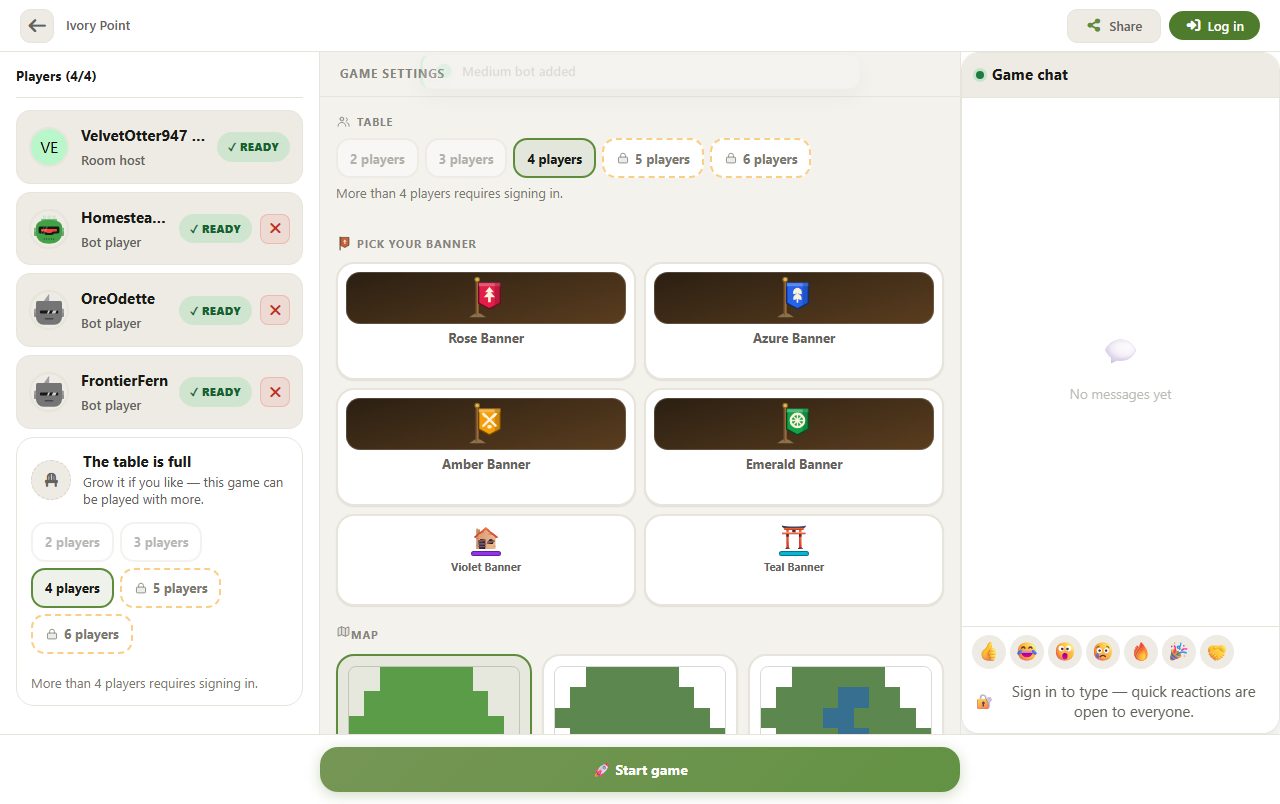
The room is open to everyone: keep the seats for your friends
A room made with the wizard opens to everyone: the Tables tab on the game page lists open rooms with the host's name, the number of filled seats and a Join button, so someone outside your group can take an empty seat. Three bits of advice:
- Size the table to your group. Four of you? Make it 4 seats. You change the number with the table buttons in the waiting room; you cannot go below the number of players already seated.
- Share the link right away so the seats go to your friends.
- Give the seat that will not be used to a bot. If your friend turns up later, remove the bot with the ✕ next to it.
The Start game button lights up once at least 2 people are seated and everyone is READY. The host counts as ready and bots show READY; your friends press Get ready. The board is laid out for the players who actually sat down, not for the room's seat cap: 2–4 players get the small layout, 5–6 the large one. Once the match has started or finished, the same link no longer seats new players; whoever opens the link of a finished room sees the "This table is closed" screen.
Share the link: friends join as guests
The Share button in the waiting room (Share link in the player list) sends the room address. On a phone it opens the system share sheet; if that is not available the address is copied to the clipboard and a "Room link copied to clipboard!" notice appears. Whoever opens the link with no identity is given a guest account and seated; they pick their own banner.
If the host is signed in, one more thing happens: the host's accepted friends get a row in their notification inbox reading "opened a table and is waiting". A guest has no friends list, so a guest host sends no such notice; you have to send the link yourself.
The seat limit follows the host's account: a guest host opens at most 4 seats, and seats 5 and 6 need you to sign in; the screen says "More than 4 players requires signing in." The base box of the classic game is for 3–4 players and 5–6 players need an extension; in Claimridge a 5–6 player table is part of the same game. What changes with the number is covered in how many players.
Table settings: what to pick with friends
Only the host sets these; the screen reads "The host sets these".
| Setting | Choices | Default | Tip for a friends table |
|---|---|---|---|
| Table (seats) | 2–6; a guest host: at most 4 | 4 | As many as your group; a bot for anyone who does not show |
| Bot level | Easy, Medium, Hard | Medium | An Easy bot never opens an offer; a Hard bot will not trade with a player within 2 points of the target |
| Map | Frontier Valley + 5 maps (one-match ticket bought with coins) | Frontier Valley | Frontier Valley for a first match |
| Victory Target | On Frontier Valley: 6, 8, 10, 12 at 2–4 players; 8, 10, 12, 14 at 5–6 | 10 points | A lower target makes the match shorter |
| Hand Limit on a 7 | 7, 9, 12 cards or No limit | 7 cards | No limit: nobody discards when a 7 is rolled |
| Dice System | Classic Dice, Balanced Deck | Classic Dice | A 36-combination deck: every full pass holds exactly six 7s, so less luck |
| Banner | Rose, Azure, Amber, Emerald, Violet, Teal | One of the spares is given | Everyone who joins picks their own colour |
| Move time | 90, 120, 180, 240, 300, 600 s | 180 s | No unlimited option; 180 s is a fair start for a table that haggles |
During the match: chat, dropped connections, rating
The table has a Game chat panel, and chat and spectators are both switched on in Claimridge. Signed-in players can type; for guests the panel says "Sign in to type — quick reactions are open to everyone.", so your guest friends can send emoji reactions but cannot write. Turn order is shuffled randomly among the players who sat down; being the host does not mean you move first.
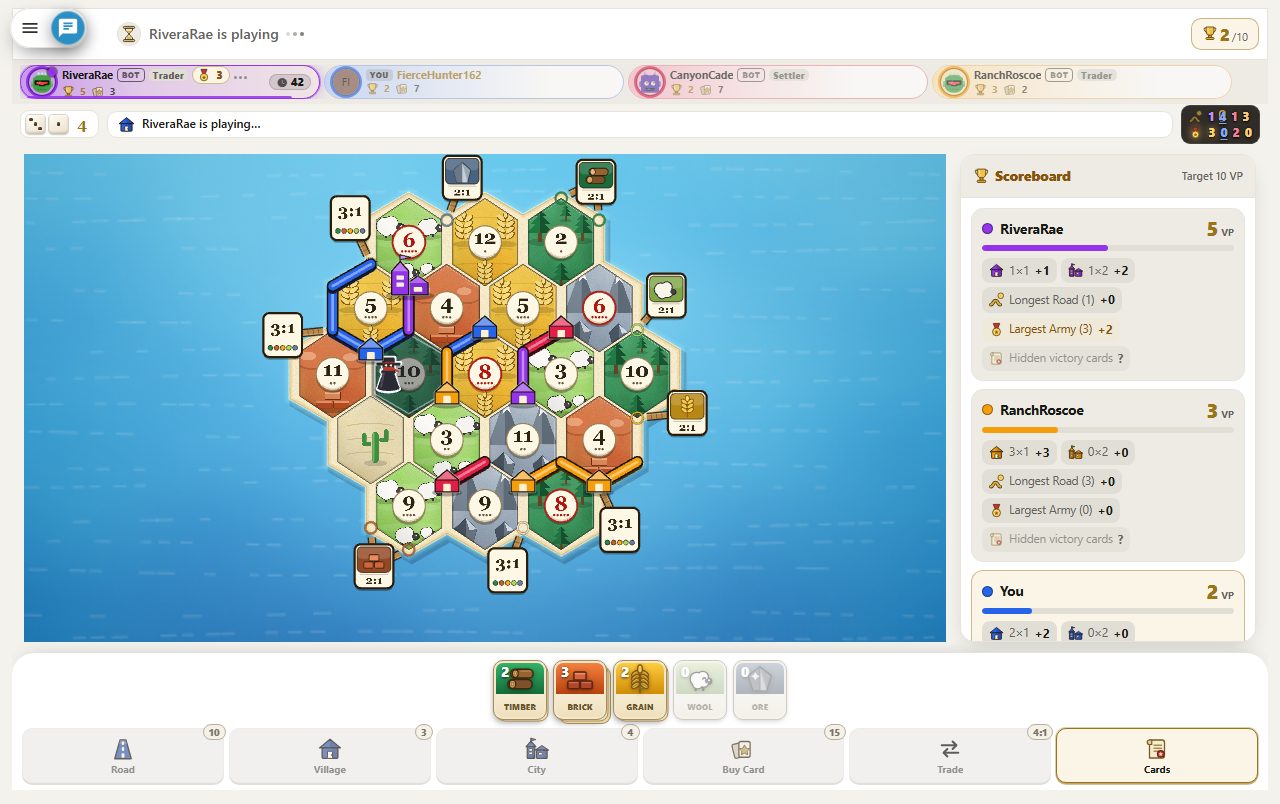
The move clock defaults to 180 seconds. If it runs out, a Medium bot plays the rest of that turn; a seat that has never acted gets one extra full clock. A friend who drops gets 120 seconds: if they do not return, a bot holds the seat, and they can take it back when they come back. A seat idle for 10 minutes in total is also taken over by a bot, and can be reclaimed.
A rated match needs at least 2 humans at the start: you and one friend are enough, and the bots do not get in the way. A match with one human and bots is not rated. A match that ends while a bot was playing a seat after a timeout is not rated either.
What to do next
The shortest path: open a room in Claimridge, size the table to your group, press Share and wait for the seats to fill; put a bot where someone does not show. For a first game, see the quick-start guide and the complete rules. To practise alone there is the guide to playing against bots, and the comparison guide sets the genre's options side by side.
CATAN® is a registered trademark of CATAN GmbH. Playgridia and Claimridge are not affiliated with, sponsored or endorsed by CATAN GmbH, its licensees or publishers. The name is used only to identify the game readers are searching for and to describe the genre; Claimridge is an independent game with its own rules, names and artwork.
Frequently Asked Questions
What can I play online with friends if I want to play Catan?
Not Catan itself, but an independent game of the same genre: in Claimridge you open a room on the game page with Create Room, pick the seats and settings, and send the link with Share in the waiting room. Your friends open the link and sit down as guests; once everyone is READY the host presses Start game. Claimridge has its own rules, names and artwork.
Do my friends need an account?
No. Someone who opens the link with no identity is given a guest account and seated, and nothing has to be downloaded or installed. Guests cannot type in chat, only send quick reactions; typing needs a sign-in. If the host is a guest, the table has at most 4 seats.
Can someone other than my friends join my room?
Yes. A room made with the wizard is open to everyone and is listed in the Tables tab of the game page. Size the table to your group, share the link right away and give any seat that will not be used to a bot; once the match has started the link no longer seats new players.
How many of us can play, and what if someone is missing?
The table seats 2 to 6; a guest host can open up to 4 seats, and seats 5 and 6 need a signed-in host. Two people are enough to start, and you can fill empty seats with Easy, Medium or Hard bots. The board is laid out for the players who sat down when the match starts.
What happens if a friend drops, and is the match rated?
A player who loses connection gets 120 seconds; if they do not return, a bot holds the seat and they can take it back when they come back. A match is rated only if at least 2 humans sat down at the start, and a match that ends with a bot playing a seat after a timeout is not rated.