Free Chess Game Review: Analyze Your Game, No Sign-In
 Play Chess
A free chess game review grades every move of your game as best, good, inaccuracy, mistake or blunder, and it costs nothing: no sign-in, no upload, no daily limit on our side. After a match against a bot or a friend, press Review the game on the end screen and the analysis runs inside your own browser.
Where the review opens from
The button sits in the end-of-game window of a chess match, and only appears once the game has at least 4 plies (half-moves). It is never offered next to a live game, so you cannot peek at an engine mid-match. Two other doors lead to the same page: the end panel of the daily puzzle has an Analyse the position button, and the analysis board also opens on its own, without a game, for free moves with a live evaluation.
The game itself travels in the page address (the part after the #), which browsers never send to a server. Nothing is stored. Player names stay in your tab only, so a link you share carries the moves and no names. Some sites cap free reviews per day; here there is nothing to cap, because the work happens on your machine.
What the review shows
Every move gets one of nine grades, measured in winning-chance points lost. The full scale and the thresholds are in blunder, mistake and inaccuracy explained. The page puts it together like this:
| Feature | What it tells you |
|---|---|
| Accuracy | One number per side for the whole game. Book and forced moves are left out of the average. |
| Grade counts | How many only moves, best, excellent, good, book, inaccuracies, mistakes and blunders each side played. |
| Eval bar and graph | Who stands better after each move, and where the game swung. |
| Coach card | For a loud grade, a sentence saying why it was bad (for example that the opponent's best answer wins a knight) and the better line. |
| Next mistake | Jumps straight to the next inaccuracy, mistake or blunder instead of stepping through every move. |
| Show the best line | Plays the engine's preferred continuation, up to 6 plies, as a variation on the board. |
| Free moves | Move the pieces yourself on the board: that starts a variation with a live evaluation. |
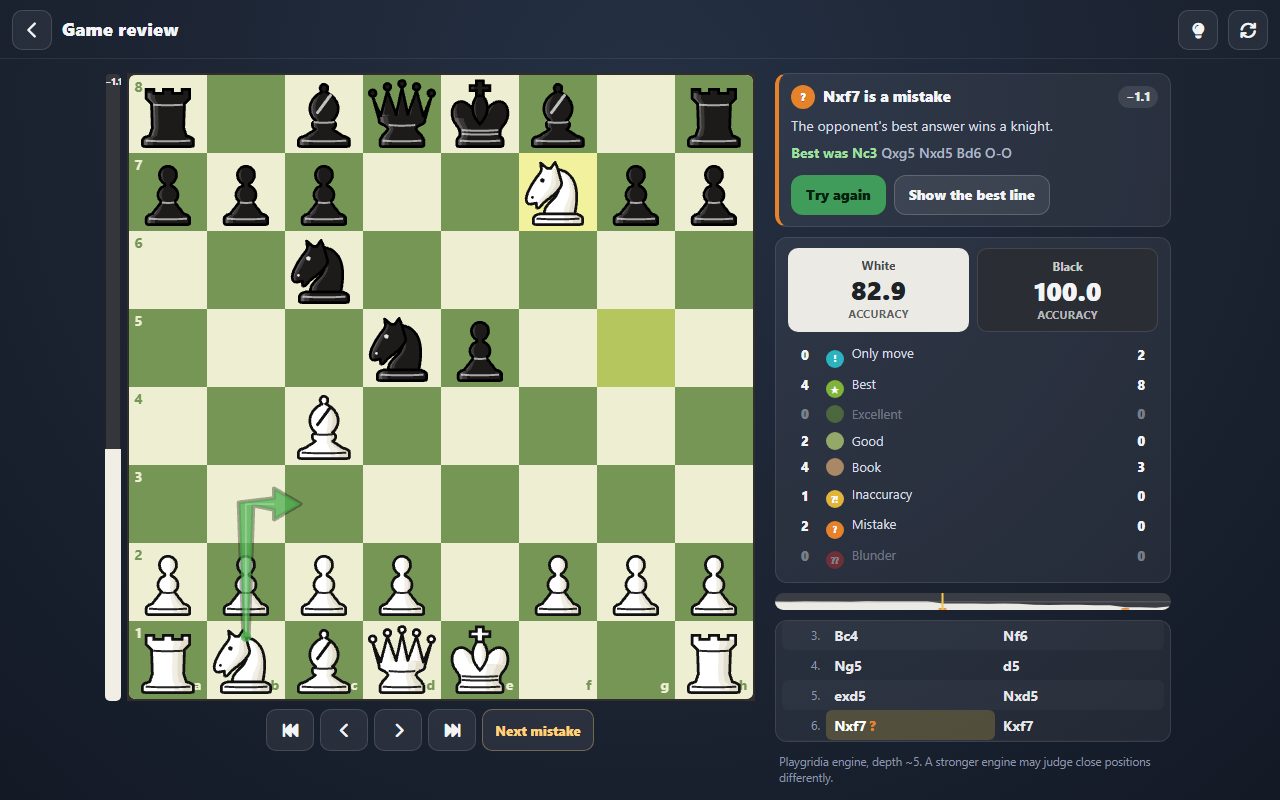
The coach card: why, not just what
A red mark on a move is not much help without a reason. For each mistake the review names the kind of problem: it allowed a mate, missed a mate, lost a piece, missed a chance to win one, or was a positional slip. In the screenshot, Nxf7 is flagged because the opponent's best answer wins a knight, and the card lists the better line that started with Nc3.
Grades are based on how much your chance of winning dropped, not on raw centipawns. Slipping from a huge advantage to a slightly smaller one in a won game does not get called a blunder.
Try again: find the better move yourself
Under a mistake, Try again puts you back in the position before it. Any move within 2.5 winning-chance points of the engine's best counts as a find, and a good find plays a sound and shows "Well found!". A miss shows "Not quite. Try again." After the second miss the answer is revealed. You can also press Show the answer at any time.
This is the part worth doing. Reading "Nc3 was better" teaches little; having to find it yourself, from the position where you missed it, is practice at exactly your own weakness.
How it runs, and its honest limit
The analysis uses the same engine as the site's chess bots, bundled for the browser and run in background workers, up to four of them depending on your device. It spends about 650 milliseconds on each position, and under the move list the page prints the average depth it reached; in the screenshot above that is about 5. A long game on a phone takes noticeably longer than a short one on a laptop.
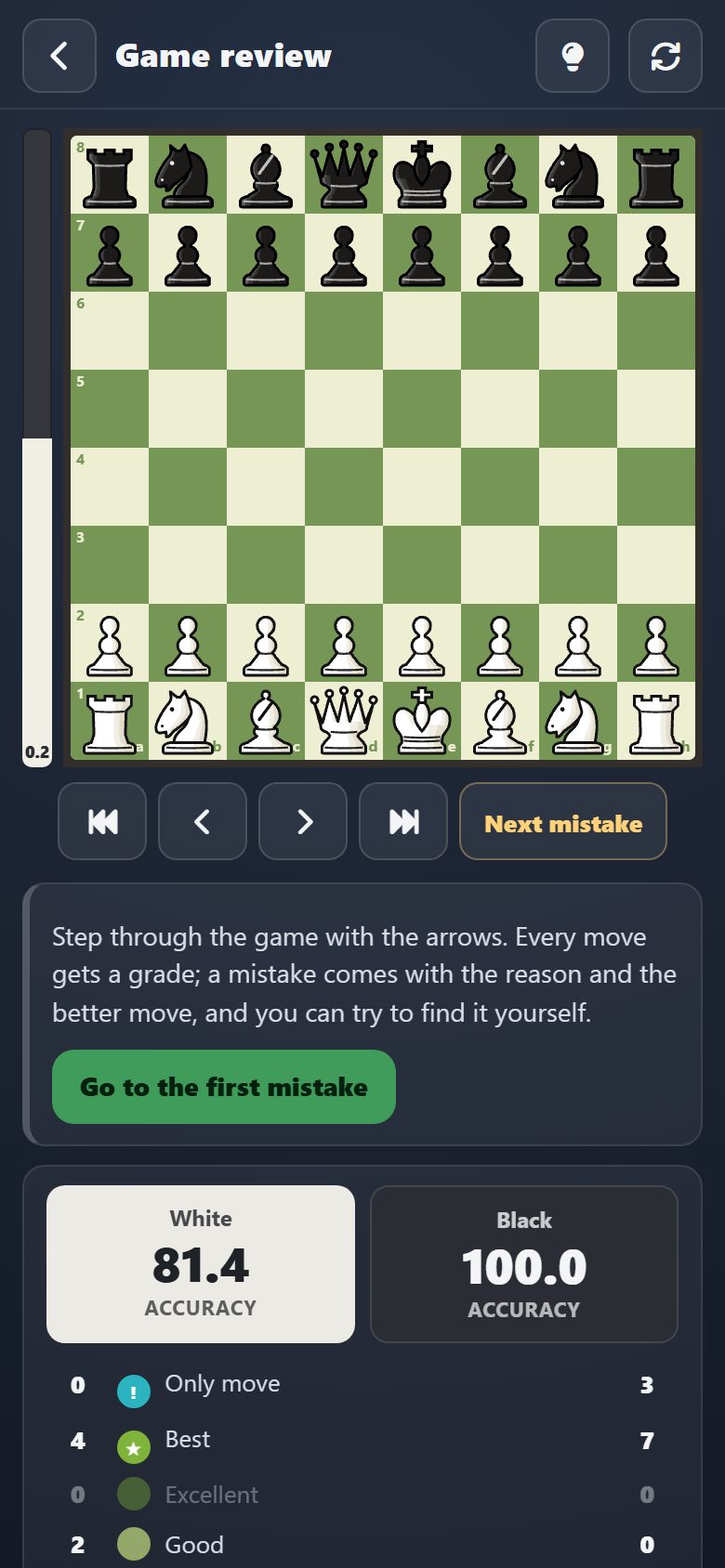
The page prints its own caveat under the list: "A stronger engine may judge close positions differently." That is worth taking seriously. At this depth, two moves that are nearly equal can swap places from one run to the next. Trust the big findings, a hung piece or a missed mate, and treat a one-point difference between two reasonable moves as a matter of taste.
Using it well
Play a game, for instance against one of the bots in chess against the computer, and open the review straight away while the moves are fresh. Go to the first mistake, read the reason, try again, and only then move on. If the same kind of error keeps coming back, such as a loose piece or a missed fork, the tactics guide fork, pin and skewer is the next stop, and how to get better at chess puts review in the context of a whole routine. Tackle the largest errors first: one blunder costs more accuracy than several small slips.
Frequently Asked Questions
Is the chess game review really free?
Yes. It needs no sign-in and no payment, and nothing is stored on a server: your game travels in the page address and the analysis runs in your own browser.
How do I analyze my chess game after a match?
When a chess match ends, press Review the game in the end window. It appears for games of at least 4 plies and is not offered next to a live game. From a daily puzzle you can press Analyse the position instead.
Can I analyze a position without a game?
Yes. The analysis board also opens on its own, without a game: moves you make there form a variation with a live evaluation, and the daily puzzle's Analyse the position button opens the puzzle position on it.
How accurate is the review?
It uses the same engine as the bots, searching about 650 milliseconds per position, and prints the average depth it reached under the list. The page itself warns that a stronger engine may judge close positions differently, so rely on the large errors more than on small differences.
How does the Try again button work?
It returns you to the position before your mistake. Any move within 2.5 winning-chance points of the best move counts as a find, and after a second miss the answer is shown.