How to Get Better at Chess: A Beginner's Plan That Works
 Play Chess
To get better at chess fast as a beginner, stop giving pieces away first: before every move, ask what your opponent's last move attacks, and only then think about your own plan. Beginner games are usually lost to a piece left hanging, not to a brilliant combination. This plan has six stages, each with one habit and one place to practise it.
Stage 1: stop hanging pieces
A piece is hanging when it can be captured for free. Before you tap a piece, look at the square it lands on and ask whether anything can take it, and whether the piece it leaves behind was protecting something. Keep the usual values in your head (pawn 1, knight 3, bishop 3, rook 5, queen 9; the seat chips show the same material tally) and only trade when the numbers work for you.
Legal-move dots and capture rings show where a piece can go, not whether the move is safe. That judgement is the skill you are training. If the rules still feel shaky, start with how to play chess and pieces and moves.
Stage 2: the check, capture, threat scan
On every turn, list in this order: every check you can give, every capture you can make, and every threat your opponent is making. Do it for your opponent's side too: what could they check, capture or threaten after your move? This three-step scan finds most one-move tactics before they find you.
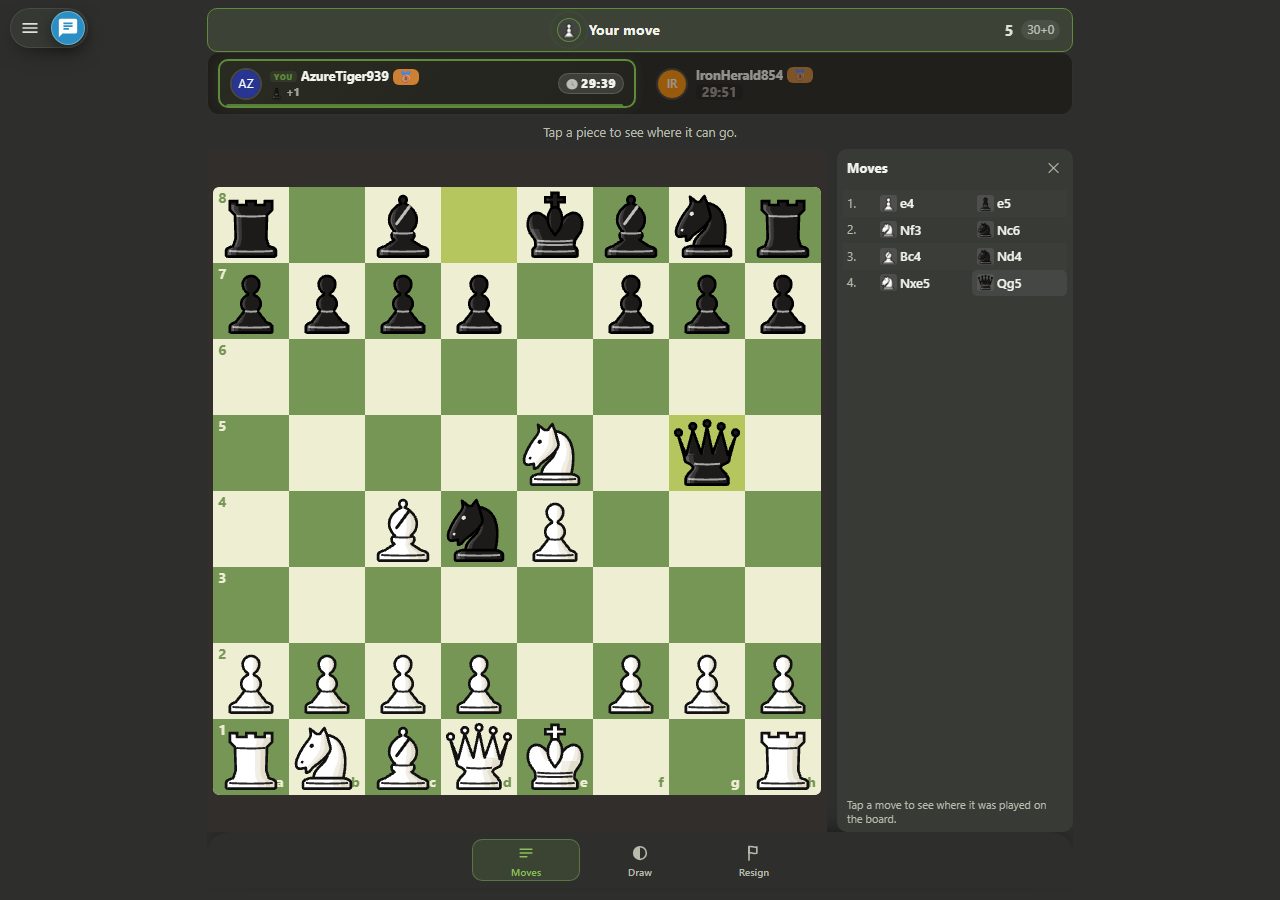
When the scan turns up two targets at once, you have found a fork. The picture below shows the idea: after 4...Qg5 the black queen on g5 eyes the knight on e5 and the pawn on g2 together. Forks, pins and skewers are laid out with set-up positions in chess tactics: fork, pin, skewer.
Stage 3: learn the basic mates
You cannot win a won position if you do not know how to finish it. Learn to mate with king and queen against a lone king, then with king and rook; both patterns and the stalemate traps that spoil them are in chess endgames: mating with queen and rook. For short mating patterns and the fastest attack to defend against, read Scholar's Mate and four checkmate patterns. Note the stalemate warning: a lone king with no legal move and no check is a draw, so throwing away a won game is easy (see how draws work).
Stage 4: opening principles, not memorised lines
Until you reach the middle of the ladder, three habits beat any opening list: bring your knights and bishops out, take a share of the centre with pawns, and castle early. Castling needs the king and that rook to be unmoved, empty squares between them, no check, and no attacked square for the king to cross or land on, so plan it before the position gets tense.
Then learn traps from both sides, mostly to avoid falling into them: chess opening traps shows real sequences with the rescue move for each.
Stage 5: play slower games and read your move list
Fast clocks reward guessing. The default clock is 10+0 (ten minutes each, no increment); for training, a longer setting such as 15+10 or 30+0 gives you time to run the Stage 2 scan on every move. The full list of seven settings is in chess time controls.
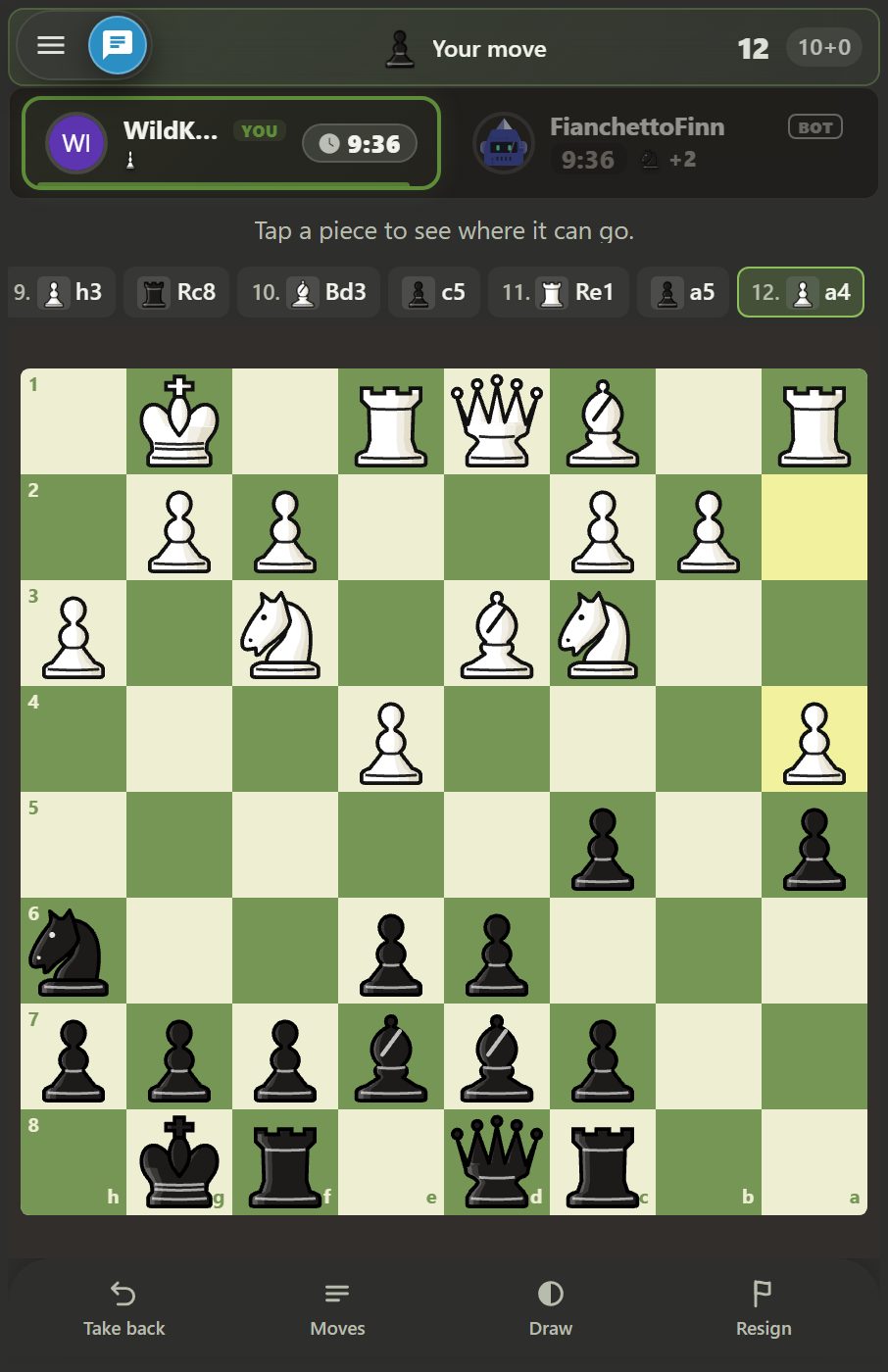
The move list is your review tool. It shows each move in standard notation (K, Q, R, B, N; pawns have no letter) and tapping or hovering a row points at that move on the board. If you need to decode it, see chess notation explained. When you lose, scroll back to the first move where your piece was attacked or left unguarded. That one move is the lesson.
Be clear about what is missing: there is no built-in analysis, no best-move hint, no puzzle set and no game export. The board gives you the moves and the bot gives you opponents; the review has to be you, reading the list.
Stage 6: climb the bot ladder
The computer opponents are eight named rungs: Pip, Mira, Theo, Lena, Omar, Vera, Hugo and Ingrid. Their rating labels (about 400 to 1800) are estimates, not a rating you earn. The first rungs show what you are beating: Pip grabs whatever it can and never checks what comes back, Mira spots one-move threats but never counts a trade to the end, and Theo guards its pieces but usually misses a two-move combination.
The Play button above seats you at your own rung. A new player starts at Mira. Win two in a row at a rung and the next quick game moves you one rung up; lose two in a row and it moves you one rung down. A draw resets both streaks and moves nothing. The end screen after a win offers the next rung up, and the bot picker marks rungs you have beaten. You can also choose a rung yourself when you create a room against the computer; more on that in playing chess against the computer.
Against a bot you can also use Take back, which undoes your last move and the bot's reply as many times as you like (the clock does not come back). It is a good way to test an idea: play the move, see the answer, take it back and try another. Bot games never change your rating; only matches between two people do, and that rating is a simple plus or minus 20, not the system described in chess Elo explained.
The whole plan on one page
| Stage | What to practise | Where |
|---|---|---|
| 1. No hanging pieces | Check the landing square and what the move leaves unguarded | Pieces and moves; Pip and Mira |
| 2. Check, capture, threat | List checks, captures and threats for both sides every turn | Tactics post; Mira and Theo |
| 3. Basic mates | King and queen, then king and rook, against a lone king | Endgame basics; any rung you beat |
| 4. Opening principles | Develop, take the centre, castle; learn common traps | Opening traps; Theo and Lena |
| 5. Slower games, review | Longer clock, read the move list, find the first mistake | Time controls; Notation |
| 6. Climb the ladder | Two wins up, two losses down, use Rematch to try again | Play button; chess |
What to do with this
Do not try all six at once. This week, play one slow game a day and run the scan on every move; the next week, add the mates. Press the Play button, play until you have two wins at a rung, and let the ladder tell you when you are ready for the next one.
Frequently Asked Questions
How can a beginner get better at chess fast?
Stop leaving pieces unprotected. Before each move, check what your opponent just attacked, then list your own checks and captures. Beginner games are mostly decided by free pieces, so that one habit gains more than any opening memorisation.
Is there a chess tutorial, hint button or puzzle mode here?
No. There is no built-in tutorial, best-move hint, puzzle set, game analysis or export. What the board does give you is legal-move dots, a red glow when your king is in check, a move list, and Take back against a bot.
How does the bot ladder choose my opponent?
The Play button seats you at your own rung, and a new player starts at Mira. Two wins in a row at a rung move your next quick game one rung up, and two losses in a row move it one down. A draw resets both counts.
Which time control is best for learning?
The default of 10+0 is a sensible start. If you find yourself rushing, pick a longer setting such as 15+10 or 30+0 when you create a room, so you have time to check every move for threats.
Do games against the computer change my rating?
No. Only matches between two human players are rated, and the change is a flat 20 points up for a win and 20 down for a loss. Bot games are for practice, so you can lose and use Take back without any cost to your rating.